


How to Enable and Utilize Dual eSIMs on Your iPhone
Apple sells its iPhones in a few configurations, but you can use two virtual SIMs in the last several years of models.
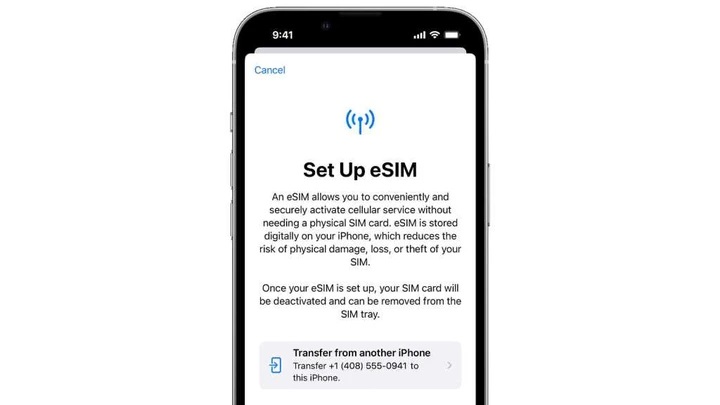
A SIM (Subscriber Identity Module) is a tiny bit of circuitry that uniquely identifies your cellular modem in a phone, tablet, or other device to nearby cellular networks to allow access for voice, data, and texting, and manage billing, whether on your home network or a roaming one. We’ve used SIM cards for decades, even as they have shrunk from full size to micro to nano. The introduction of eSIM eliminates an external card entirely: a reprogrammable SIM circuit (or more than one) is stored within a device with a cellular modem, letting you set up or change service with a downloadable file, via a profile, or by scanning a QR Code.
Some people are confused about managing two eSIMs at once, however, a feature that came to iPhones starting with the iPhone 13 series. Models from that series onward may or may not include a physical SIM slot (the U.S.-sold iPhone 14 and 15 series omit them), but all iPhone 13 series and later phones can keep two eSIMs active at the same time.
Previous iPhone series (starting with the XS and XR models and iOS 12.1) allowing Dual SIM, as Apple styles the feature, but at least one had to be a physical SIM. The iPhone 13 and later get rid of that requirement, allowing you to pair one physical SIM and one eSIM or two eSIMs.
To use Dual SIM with eSIM, you simply activate two eSIMs; see “How to activate and set up your iPhone 14’s cellular service with eSIM,” which includes advice for any eSIM-supporting iPhone. You may already have one active with a current cellular service plan and you choose to add a second.
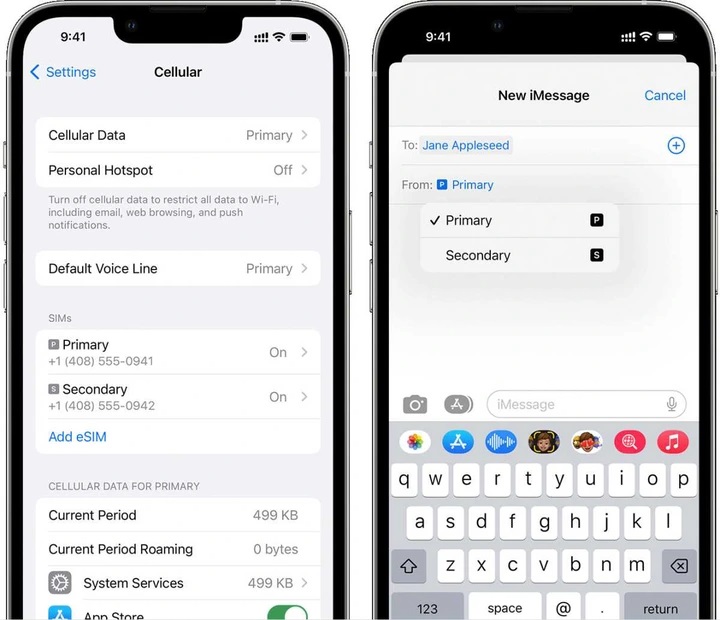
Apple provides controls in Settings > Cellular and in individual apps that help you manage using two eSIMs (or a SIM/eSIM pair) simultaneously.
Foundry
With two active plans, every feature that relies on cellular access adds an option that lets you choose which plan to use, particularly useful if you have voice, SMS/MMS texting, and data on both plans. You can set the default phone number and other defaults in Settings > Cellular. This is also where you can opt to “mix” data if you have data service on both plans; see “How to use two eSIMs in an iPhone to balance data usage.”
You can also choose when placing a phone call using the Phone app or using Messages for SMS and MMS which eSIM plan to use. The same is true when placing calls or making other connections via the Contacts app.
This Mac 911 article is in response to a question submitted by Macworld reader Gaurav.
Ask Mac 911
We’ve compiled a list of the questions we get asked most frequently, along with answers and links to columns: read our super FAQ to see if your question is covered. If not, we’re always looking for new problems to solve! Email yours to mac911@macworld.com, including screen captures as appropriate and whether you want your full name used. Not every question will be answered, we don’t reply to email, and we cannot provide direct troubleshooting advice.